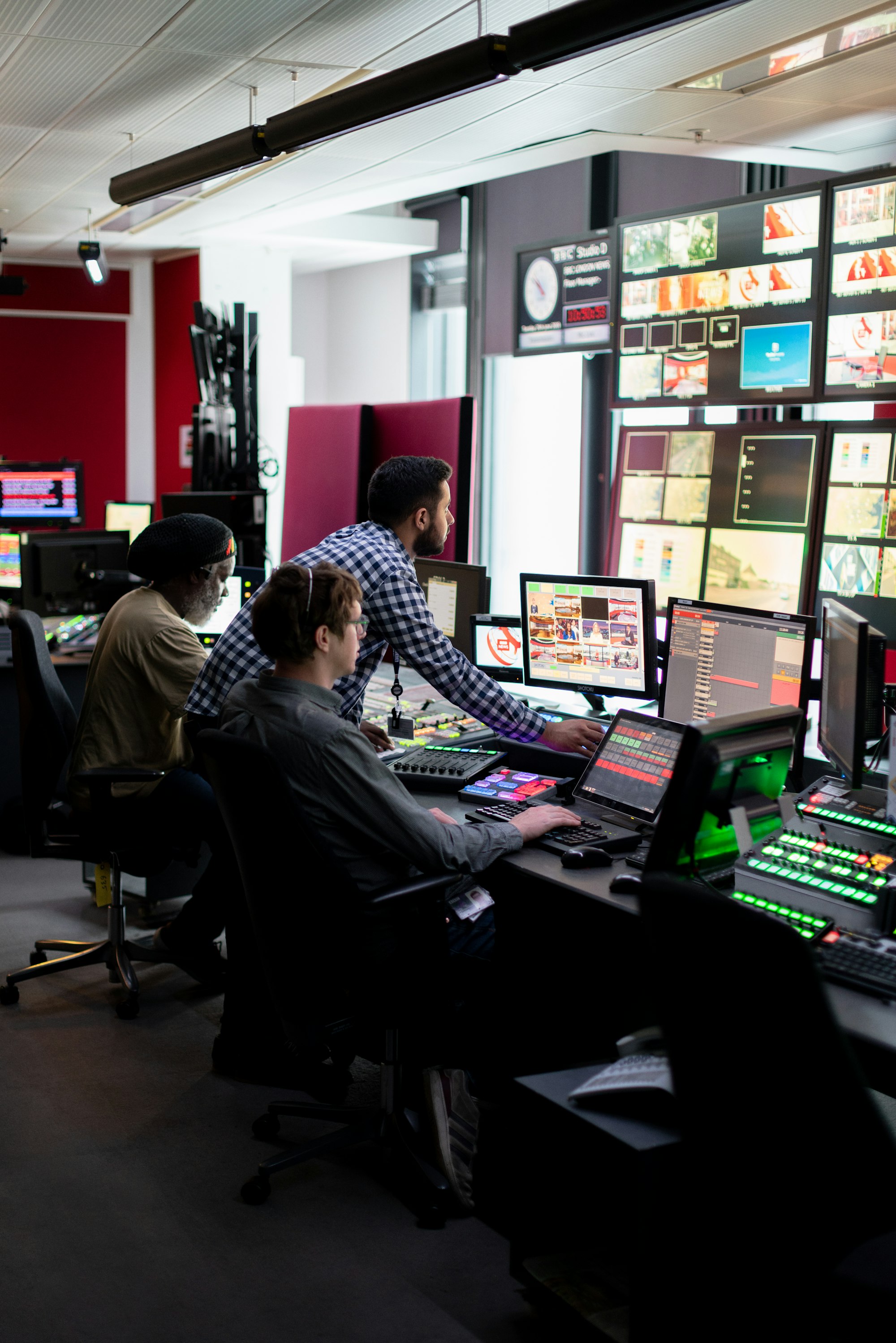
DRISHTI. See everything. Act in time.
DRISHTI connects cameras, utilities, alarms and field teams in one live view, so your team knows what is happening, what to do and who is on it.
One screen for
- Cameras and video wallLive feeds, saved views per shift, nearby cameras in one click
- Water, power and air qualityDepartment dashboards, each with its own limits
- Alarms with proceduresSteps to follow, an owner, and automatic escalation
- Field teamsJobs on technicians' phones, closed with photo proof
One control room for everything you run.
Most control rooms juggle separate screens for cameras, water, power, lighting and complaints. Problems are noticed late, and nobody is sure who is handling them.
DRISHTI brings all of it into one place. Operators see a live map of every device, a wall of camera feeds and a dashboard for each department. When a reading crosses a limit or a device stops responding, DRISHTI raises an alarm with the steps to follow and opens the nearest cameras. The job goes to a field technician's phone and is tracked until it is closed.
Everything that happens is recorded. Managers get daily and monthly reports, and history shows what keeps going wrong and where. DRISHTI works with the cameras, meters and sensors a customer already owns, whatever the brand.
| Product | DRISHTI |
| Category | Integrated Command and Control Centre (ICCC) |
| Made by | a2pulse Pvt. Ltd. |
| Connects | Cameras, water, power, air quality, streetlights and field teams |
| Built for | Cities, campuses, factories, utilities, ports and airports |
| Hosting | On your own servers, in your own premises |
| Licence | Simple per-site licence, renewed without reinstalling |
In one line: DRISHTI does not just show you what is happening. It tells your team what to do, makes sure someone does it, and proves it was done.
Every camera, every sensor, every team. One screen.
Each feature answers a problem operators faced on shift.
Live map
Every camera, meter, light and sensor shown where it really is. Click any point to see its status and live view.
Video wall
Live camera feeds in any layout, with saved views for each shift and nearby cameras opened in one click.
Smart alarms
Alerts when a reading crosses a limit or a device goes silent, sorted by urgency.
Step-by-step procedures
Each alarm shows the checklist to follow, so even a new operator knows what to do.
Automatic escalation
If an alarm is not handled in time, it moves up to a senior and sends an e-mail alert.
Back-online tracking
Devices that drop off and recover on their own are kept apart from real faults, so operators are not flooded.
Department dashboards
Separate views for water, power and energy, air quality, streetlights and CCTV, each with its own limits.
Field team app
Jobs go to technicians' phones with the location pinned; they close them with a photo as proof.
Incident history
Every incident tracked from first alert to closure, with who did what and when.
Reports and trends
Daily, weekly and monthly reports in one click, exports to Excel, and years of history for trends.
System health
Servers, video, network and data links checked every minute, with a history you can scroll back through.
Open integration
Connects to devices and software from any vendor, so existing equipment keeps its value.
Multilingual
Each user chooses English or a regional language.
Role-based access
Each person sees only their department or site, and can only do what their role allows.

The control room and the field, finally on the same page.
When an alarm needs hands on site, DRISHTI sends the job straight to the right technician's phone, with the location pinned and the steps to follow.
Location pinned
Technicians know exactly where to go.
Closed with a photo
Every fix is proven, not just reported.
Late jobs escalate
If a job is not handled in time, it moves up to a senior automatically.
Six steps from a reading to a fix.
Connect
Your cameras, meters and sensors are linked to DRISHTI, whatever the brand.
Watch
Everything appears live on one map, one video wall and one dashboard per department.
Alert
When something goes wrong, DRISHTI raises an alarm before anyone has to call in.
Act
The operator sees the checklist and nearby cameras, and sends the job to a field technician's phone.
Resolve
The technician fixes it and closes the job with a photo. Late jobs escalate automatically.
Improve
Every event feeds the reports and history, so recurring problems can be fixed at the root.
A morning with DRISHTI
An example of one incident, from first reading to closed job.
- Water pressure drops in one area. DRISHTI raises an alarm before anyone calls in.
- The operator opens the nearest cameras and follows the checklist on screen.
- A field technician gets the job on their phone, with the location pinned.
- Fixed, closed with photo proof, and saved for the monthly report.
Your whole city or plant, on one screen.
One platform for cities, campuses, factories and utilities.
Smart cities
Junctions and public places on camera; water supply, streetlights and air quality in one view; citizen complaints and field work tracked to closure.
Factories and industries
Gates, yards and boundaries on live camera; energy, water and emissions for every plant; breakdown and safety alarms with clear steps; maintenance jobs sent to technicians.
Industrial parks and townships
One control room for shared utilities, security and services across many units.
Campuses and universities
Entry points, buildings, lighting and utilities watched from one place.
Water and power utilities
Meters, tanks, pumps and supply lines monitored, with alarms when readings go out of range.
Ports, airports and logistics hubs
Perimeters, gates and operations areas on camera, with incidents handled to a set procedure.
Fewer surprises. Faster fixes. Clear accountability.
DRISHTI catches problems through the system, not through a complaint, and makes sure every alarm has an owner.
- Fewer surprises. Problems are caught by the system, not by a complaint.
- Faster fixes. The right person gets the job, with the location and steps, in minutes.
- Nothing falls through the cracks. Every alarm has an owner, and late ones escalate on their own.
- Less noise. Operators see real faults first, not every device that blinks.
- One team, one picture. Every department works from the same live view.
- Clear accountability. A full record of what happened, who acted and when.
- Better decisions. Reports and history show where to invest and what to fix for good.
- Protects what you own. Works with existing cameras and meters, so nothing has to be replaced.
Built inside a working control room, not in a lab.
Here is how DRISHTI compares with typical control room software.
| Typical control room software | DRISHTI |
|---|---|
| Tied to one camera or device brand | Works with equipment from any vendor, so you keep what you already own |
| Alarms only say something is wrong | Every alarm comes with the steps to fix it, the nearest cameras and an owner |
| Missed alarms go unnoticed | Late alarms escalate to a senior automatically, with e-mail alerts |
| Every device that blinks raises an alarm | Devices that recover on their own are kept apart, so real faults stand out |
| Control room and field teams work separately | Jobs go straight to technicians' phones and close with photo proof |
| Built for either cities or industry | One platform for cities, campuses, factories and utilities |
| Hosted on the vendor's cloud | Installed on your own servers; your video and data never leave your premises |
| One server failure stops the screens | Runs on several servers at once, so the control room stays on |
| Updates mean downtime | Updates roll out with no interruption to operators |
| English only | English and regional languages, chosen by each user |
| You find out the system is down when screens freeze | DRISHTI checks its own health every minute and keeps a history |
| Long, rigid licences | Simple per-site licence, renewed in minutes without reinstalling |
| Support from far away | A local team that sets it up with you, trains every shift and stays to support it |
The control room never goes dark.
Always on
DRISHTI runs on several servers at once. If one fails, the others carry on.
No downtime for updates
New versions roll out without interrupting operators.
Your data stays with you
Installed on your own servers, in your own premises. Video and data never leave your control.
Tested for security
Security-tested against widely used industry standards; issues are fixed before release.
Safe sign-in
Two-step sign-in and strong password rules.
Protected information
Connections are encrypted and stored passwords are kept secure.
Full audit trail
Every sign-in and every change is recorded.
Self-monitoring
Servers, video, network and data links checked every minute.
We set it up with you, and we stay.
DRISHTI is licensed per site, with simple renewal and no reinstallation.
Understand
We visit, study your site and list what you need to watch.
Connect
We link your existing cameras, meters and systems to DRISHTI.
Set up
We build your maps, dashboards, alarm limits and procedures with your team.
Train
Every shift learns to use the control room with confidence.
Support
Updates, help, and new departments or sites as you grow.
Questions about DRISHTI
Do we need to replace our existing cameras and sensors?
No. DRISHTI connects to the equipment you already have, from any brand.
Is DRISHTI only for cities?
No. It works just as well for factories, industrial parks, campuses, utilities, ports and airports.
Where is our data stored?
On your own servers, in your own premises. Nothing is sent outside.
What happens if a server fails?
DRISHTI keeps running on the remaining servers, so monitoring is not interrupted.
Can different departments have their own views?
Yes. Each department or site gets its own dashboard, and each user sees only what their role allows.
Does it work in local languages?
Yes. Each user can choose English or a regional language.
How long does it take to go live?
It depends on the size of the site and the number of devices. We share a clear plan after the first site visit.
Can we add more sites or departments later?
Yes. DRISHTI grows with you, one department or site at a time.
Is DRISHTI already in use?
Yes. It runs around the clock in a live smart city command and control centre.
See DRISHTI running.
Book a live demo and we will show you how it would work for your city or plant.